WINDOWS · ACTIVE DIRECTORY · WIRELESS · PATCH STATE · NETWORK
PostureKit
Evidence-first, credentialed security posture assessment with a hashed trail behind every result
PostureKit reads a fixed set of security-relevant facts from authorized Windows hosts, records their hashes for later integrity checks, and evaluates them against a transparent rule set. Importers fold in patch state, wireless configuration and network vulnerability scans. It identifies and reports; it does not exploit, and it never assigns severity on its own.
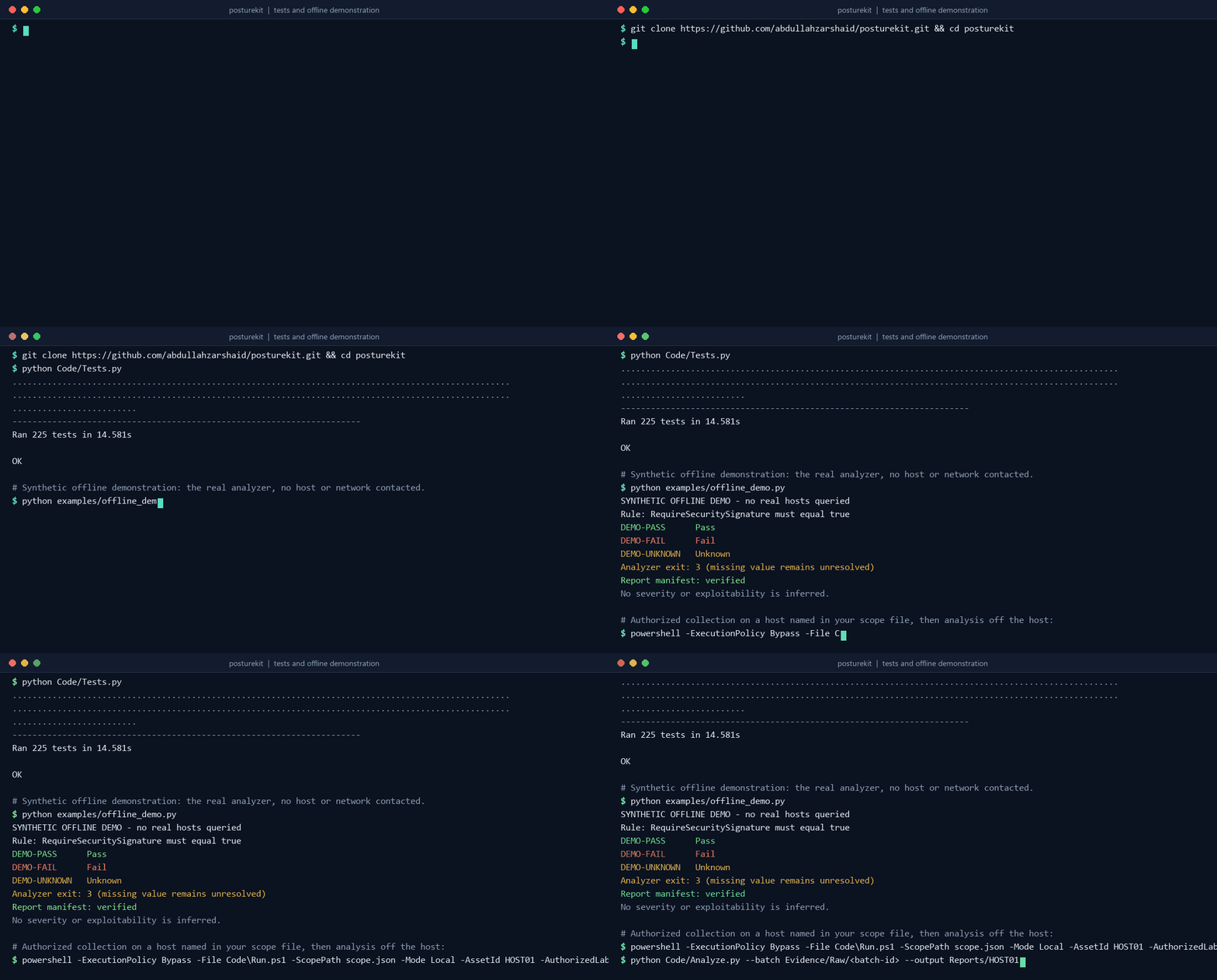
Typeset from a verified run of python Code/Tests.py and python examples/offline_demo.py. The demonstration uses synthetic data; no host or network is contacted.
How it works
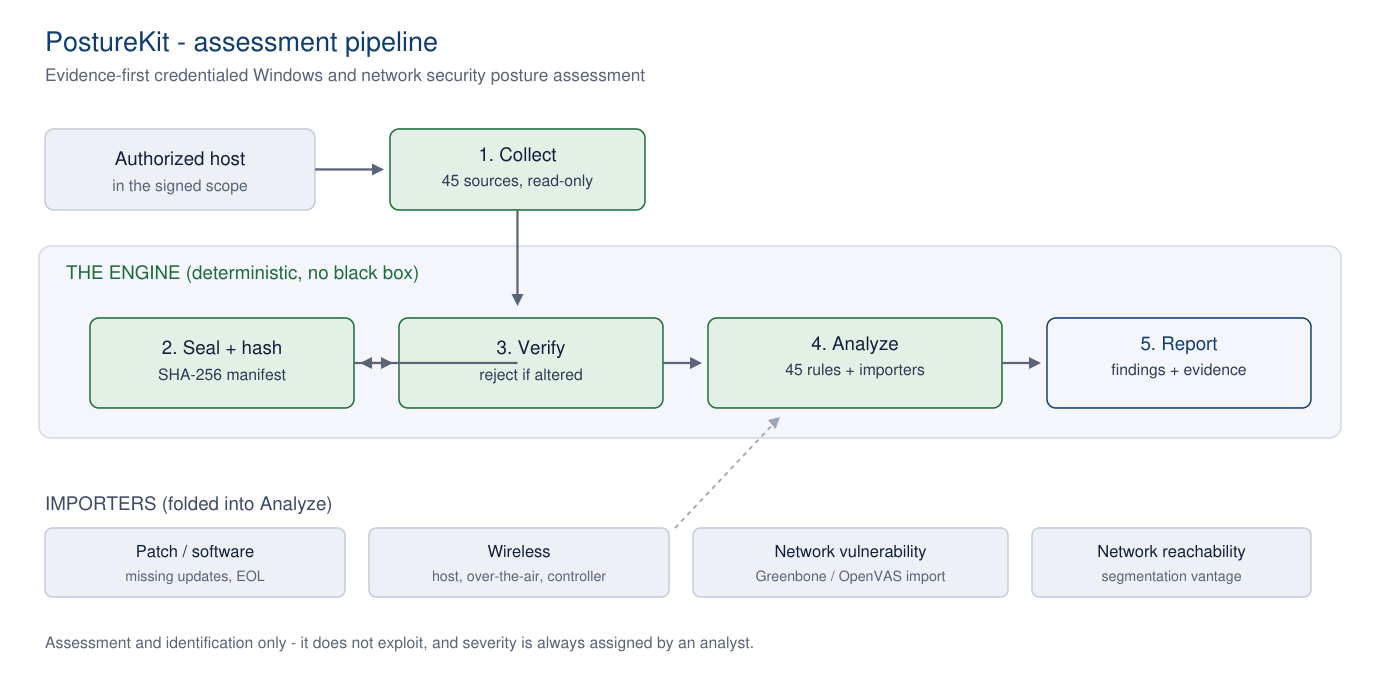
Collect with Code/Run.ps1 (locally or over WinRM), seal each batch with a SHA-256 manifest, analyze with Code/Analyze.py against Code/Rules.json, and fold in patch, wireless and scan planes through the importers in Extensions/. Every result carries the control it relates to (NIST SP 800-53), the evidence pointer and its hash, the method and the outcome.
What it covers
Quick start
# Run the suites and the offline demonstration (synthetic data, no host contacted)
git clone https://github.com/abdullahzarshaid/posturekit.git
cd posturekit
python Code/Tests.py
python examples/offline_demo.py

# Authorized collection on a host named in your scope file (Windows PowerShell 5.1)
powershell -ExecutionPolicy Bypass -File Code\Run.ps1 -ScopePath scope.json -Mode Local -AssetId HOST01 -AuthorizedLabRun

# Analyze the sealed batch off the host, optionally with other planes
python Code/Analyze.py --batch Evidence/Raw/<batch-id> --output Reports/HOST01
python Code/Analyze.py --batch Evidence/Raw/<batch-id> --greenbone gvm.json --wireless-controller controller.json --output Reports/HOST01
python Code/VerifyManifest.py Evidence/Raw/<batch-id>
- It does not exploit, pivot or prove exploitability. It identifies and evidences configuration and patch weaknesses.
- It does not discover hosts. It only touches machines named in the scope, with authorization.
- A network scanner detects exposure, not confirmed exploitability, so scan results are treated as candidates an analyst confirms. Severity is always left to the analyst.
CITATION.cff.